

Leveraging SmartScout’s comprehensive suite of tools, you can systematically identify and analyze potential niches on Amazon, setting yourself up for success. Remember, the key is to be thorough in your research and stay adaptable to market changes. Let’s dive into it
Table of Contents
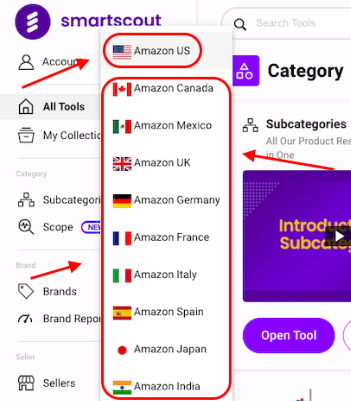
Step-1 How To Select The marketplace on SmartScout?
A list of countries on smartscout. The countries listed are Canada, United Kingdom, Germany, France, Italy, Spain, India, and the United States. where you can hunt brands and distributors products for your Amazon business. showing the following
Step-2 How To Find Niches On Smartscout?
- Open the niche finder on smartscout
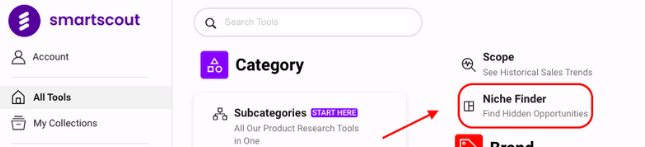
- After selecting niche finder, Hidden Opportunities showing on the screen
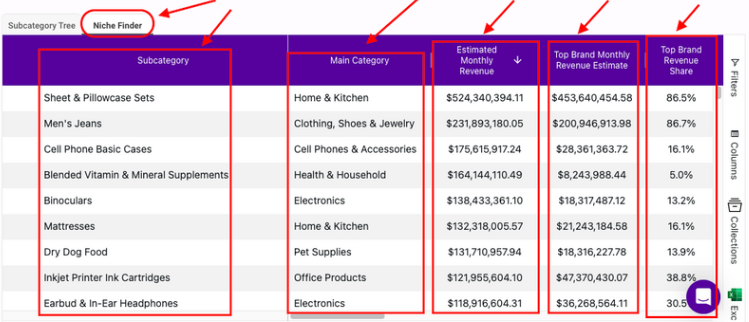
- Subcategory Tree: This represents a hierarchical structure of subcategories within a broader category.
- Niche Finder: Possibly related to identifying specific market niches or segments.
- Main Category: Indicates the industry.
- Estimated Monthly Search Volume: Refers to the approximate number of searches related to these categories each month.
- Top Brand Monthly Revenue Estimate: Estimate the revenue of top brands in these categories.
- Top Brand Share %: The market share percentage held by these top brands.
Step-3 Niche Finder Dashboard
- Checking brands, Product data, & Scope using this niche finder dashboard
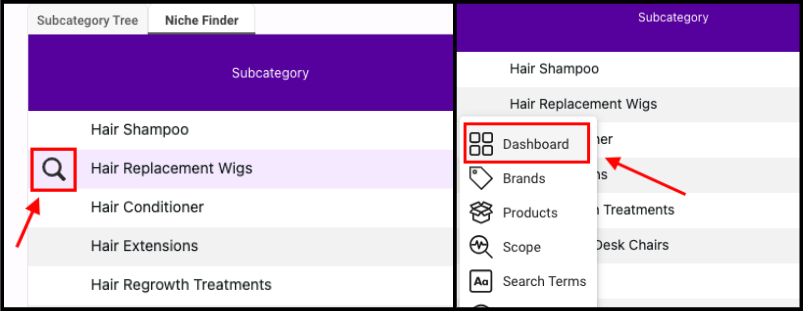
After the niche finding how to check the subcategory’s monthly revenue estimate, you can find brands and products on smartscout
Step 4 – Subcategory
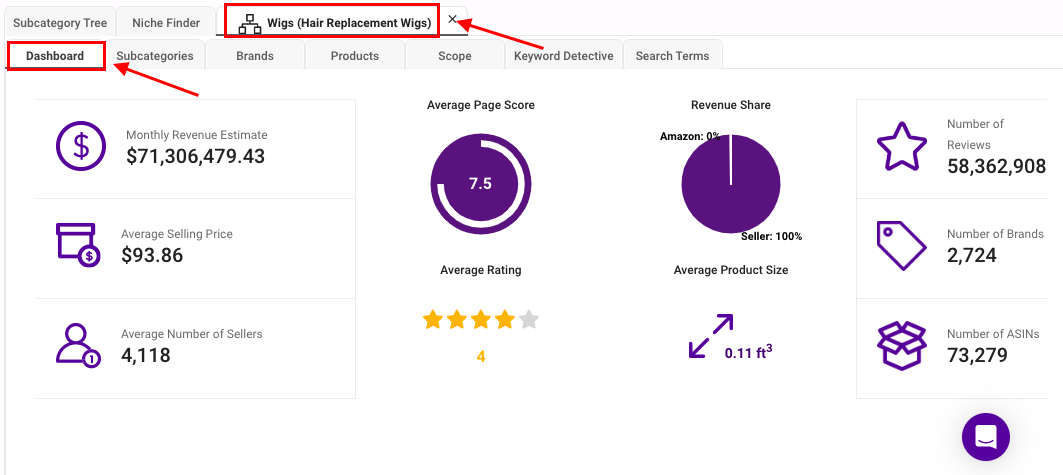
Checking Monthly Data of Wigs (Hair Replacement Wigs)
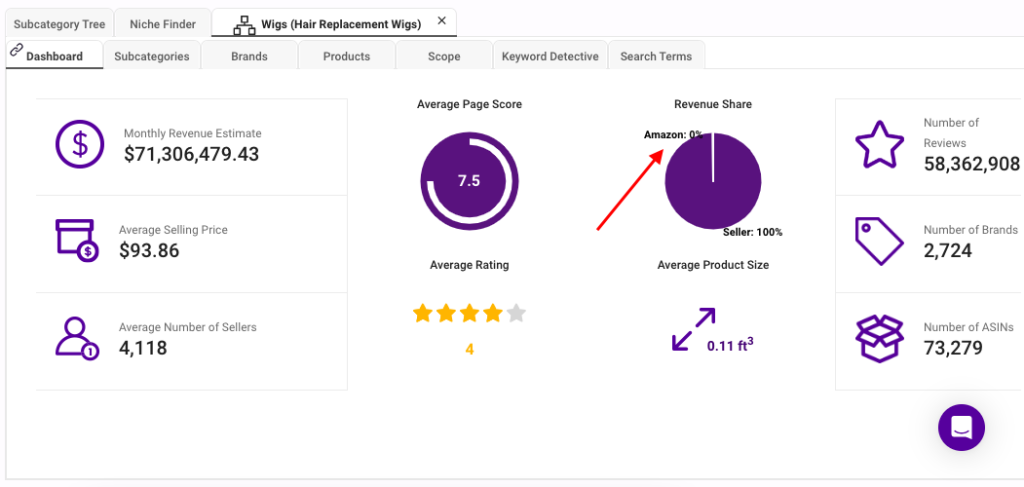
- Monthly Revenue Estimate: $71,306,479.43
- Average Selling Price: $93.86
- Average Number Of Sellers: 4,118
- Amazon Availablity: 0%
- Number of Reviews: 58,362,908
- Number of Brands: 2,724
- Number of ASINs: 73,279
Step 5 – What Is Scope In Smartscout?
Scope in SmartScout is a tool designed to enhance Amazon sellers’ market research capabilities. It provides detailed insights into the performance of Amazon brands and products, allowing sellers to make informed decisions. Scope offers features such as keyword tracking, sales estimates, and competitive analysis. By leveraging this data, sellers can identify profitable niches, optimize their listings, and develop effective marketing strategies. Essentially, Scope helps Amazon sellers gain a competitive edge by providing the necessary data to understand market dynamics and improve their product offerings.

Step 6 – Research Keywords for your products which include
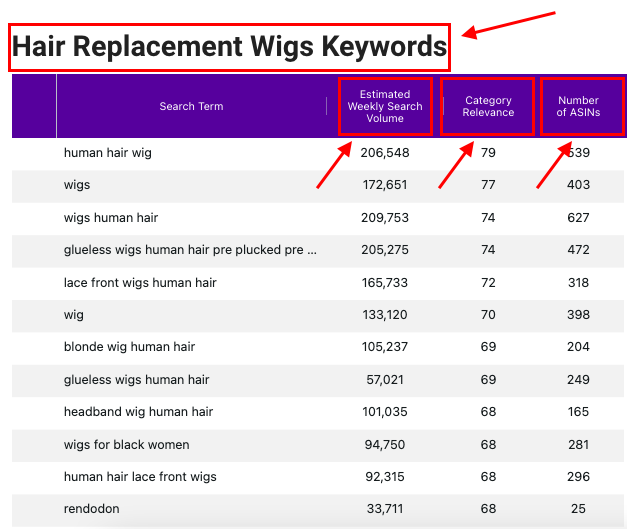
Smartscout helps us to check the trend of subcategories, Top Trending Products also check the Weekly or Monthly. Also research Keywords for your products which include:
- Estimated weekly search volume
- Category Relevance
- Number Of ASIN’s
For Detailed Course Visit: Skillspanda.com