
Creating coloring pages was never easy but I found an effortless way to craft hundreds of unique coloring books without sweat! There are many other online marketplaces to sell coloring pages including your website.
We will use the following tools to create it
- ChatGPT
- MidJourney
- Canva
Let’s dive into creating our first coloring book below.
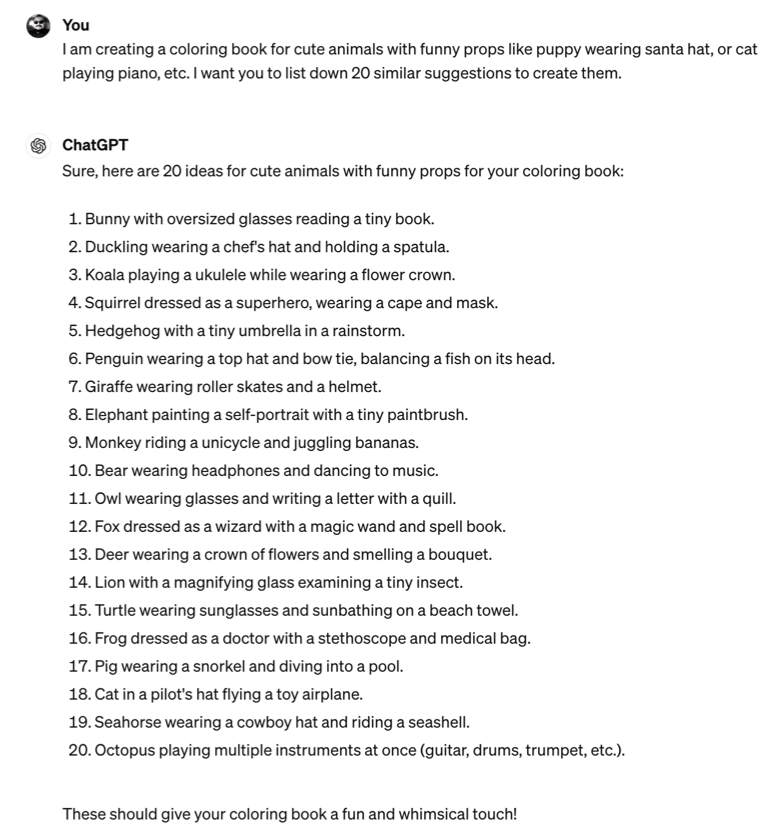
Step 1 – ChatGPT to Create Ideas
The Prompt:
I am creating a coloring book for cute animals with funny props like a puppy wearing a Santa hat, a cat playing piano, etc. I want you to list down 20 similar suggestions to create them.
Step 2 – Convert ideas into MidJourney Prompts
The Prompt:
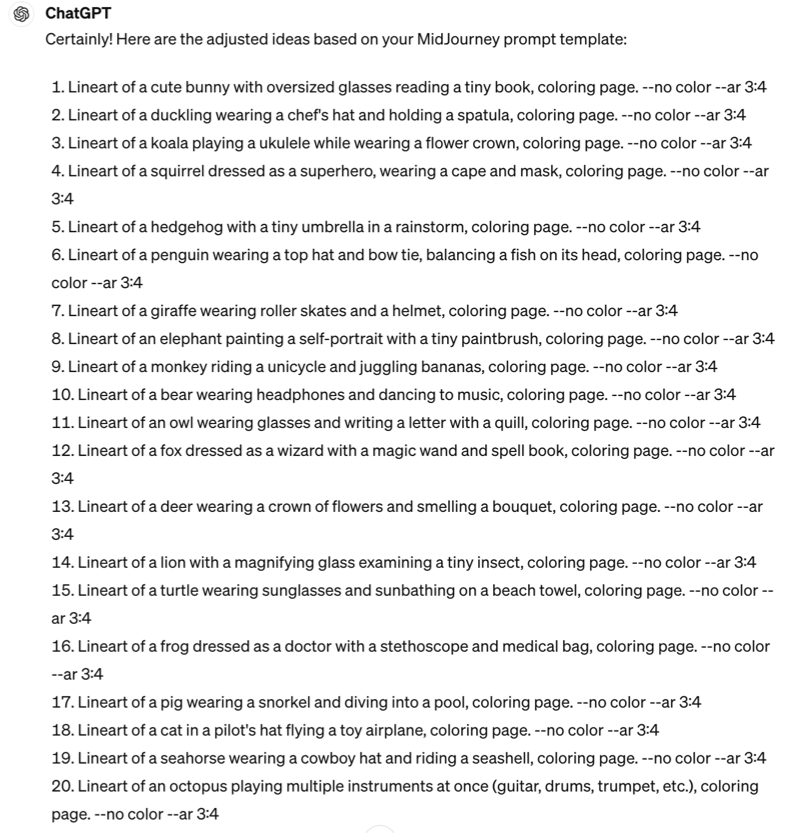
let’s use the following MidJourney prompt template and adjust your ideas to it pls.
“lineart of a [cute cat smiling and wearing Santa hat], coloring page. –no color –ar 3:4”
Prompt Explanation
The lineart is usually used for creating drawings.
cute cat… is added in brackets that tell ChatGPT to replace it with the other suggested animals and ideas that it generated in the previous response.
–no is an MJ parameter that adds it as a negative prompt. I added color next to it.
–ar is for aspect ratio. I want it to be 3:4 so it lays out well on an A4 paper.
ChatGPT Response
Now I have 20 accurately written MidJourney prompts. So I won’t have to manually enter each lineart idea in MidJourney.
Step 3 – Start pasting prompts in MidJourney one by one
The Prompt:
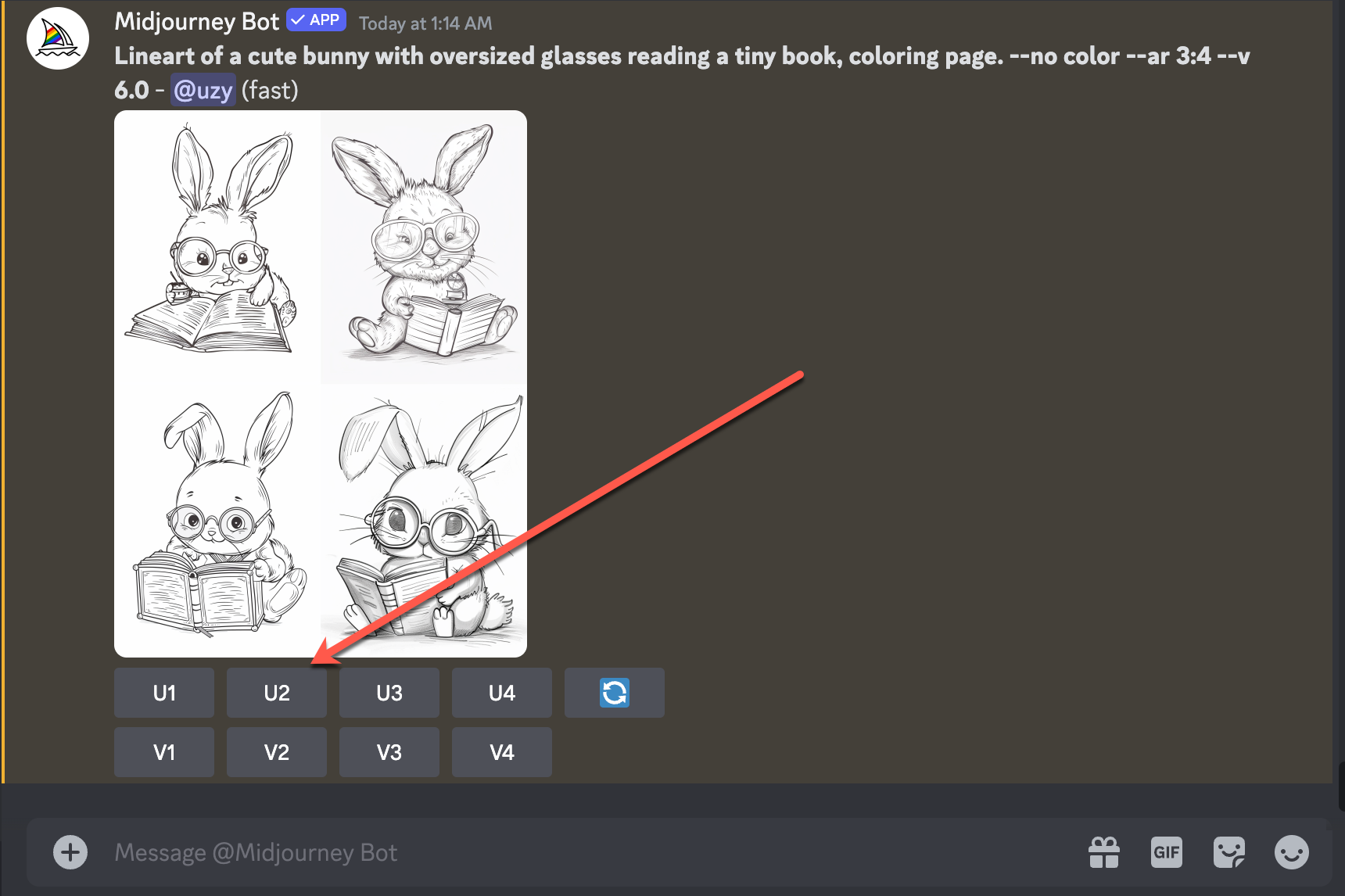
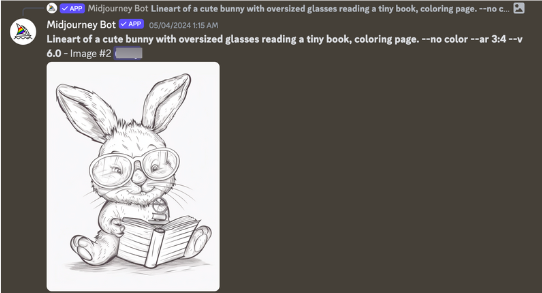
Lineart of a cute bunny with oversized glasses reading a tiny book, coloring page. –no color –ar 3:4

MidJourney Response
By default, MJ creates four different ideas based on my prompt. I liked 2nd idea so I will click U2.
U2 stands for upscaling the 2nd option.
Full-size image as requested 👇
Prompt
How to create a duckling 🦆
[Lineart of a duckling wearing a chef’s hat and holding a spatula, coloring page. –no color -ar 3:4]
MJ Response 👇

Prompt
How to create a giraffe 🦒

MJ Response 👇

Step 4 – Upgrade Image Resolution
After completing your drawings, download them and enhance their resolution to 300 DPI using convert-dpi.com. This ensures clear and crisp images, ideal for printing or digital use. Upload your files and follow simple instructions to upscale them for stunning results!
It’s quick to process multiple images together.


Step 5 – Search for Coloring Book Cover Template on Canva

Select the one that fits best with your coloring book topic.
Step 6 – Edit Book Cover Title

Then add a new page.
Step 7 – Start Uploading the Drawings

Upload all the drawings by adding pages one by one. Click Share on the top right.

Step 8 – Download as PDF

Finally, you got your coloring book ready.
Publish it on your chosen marketplace or website ie; Amazon Kindle, Etsy, or your own website.
Multiply the steps to generate several coloring books to make enough sales.